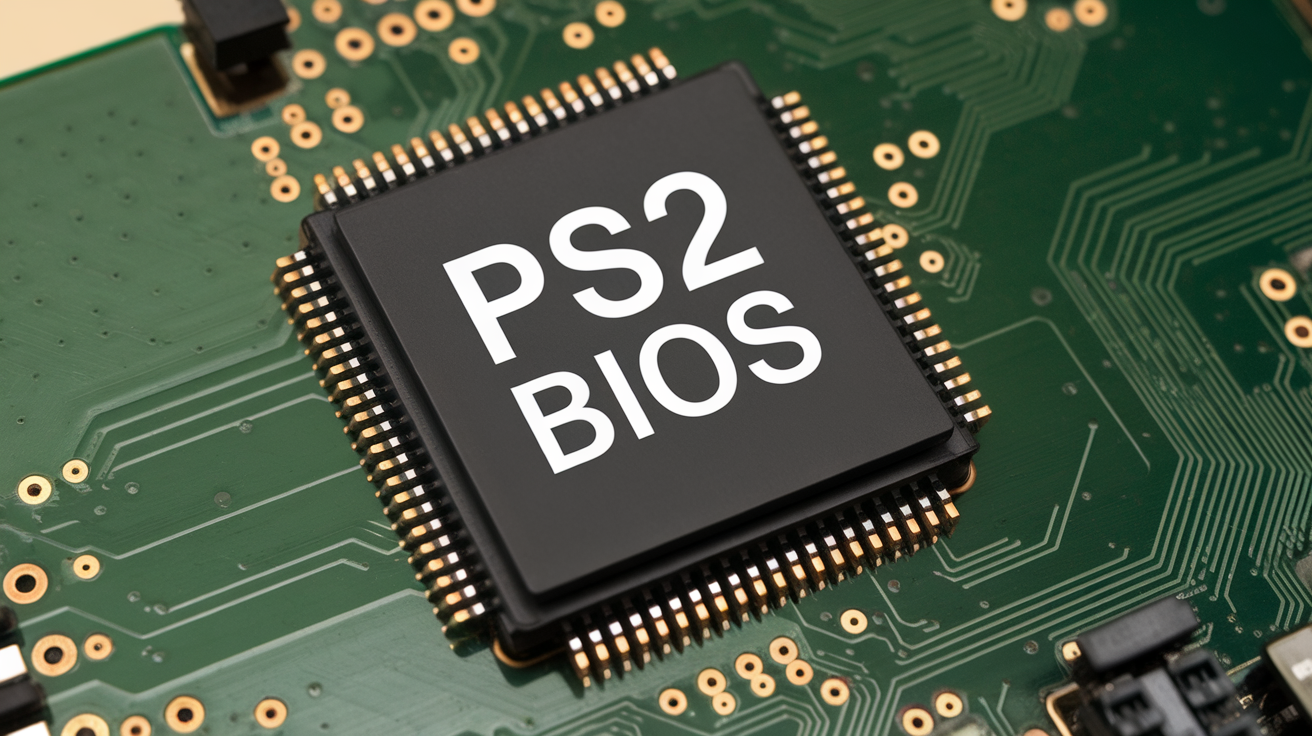
When people set up a PS2 emulator, they hit one big question right away: the PS2 BIOS. It sounds technical. It sounds scary. But it is not that bad. You can think of it as the PlayStation 2’s “startup brain.” Without it, many emulators cannot act like a real console. That is why beginners keep searching for answers like “what is a ps2 bios” and “which PS2 BIOS to use.”
In this guide, I will explain everything in plain words. I will also show how to set up BIOS files in PCSX2 and on Android. I will also share the safest way to get a BIOS. That means using your own console, not shady sites. I have seen many people download the wrong thing and end up with malware. So we will do it the clean way. By the end, you will know what to do and why it works.
Why do emulators require a PS2 BIOS in the first place?
A ps2 bios is a small set of system files from a real PlayStation 2. BIOS stands for “Basic Input/Output System.” That name is boring, so hereis a simple idea. The BIOS helps the console start up. It also helps the console talk to its parts. That includes the memory card, discs, and menus. When you turn on a PS2, the BIOS is part of what makes the logo and menu happen.
A PS2 emulator tries to copy the console using software. But many emulators still need the BIOS to act more like real hardware. This leads people to ask, “What is PS2 BIOS?” and “What are ps2 bios?” Sometimes, the BIOS is split into multiple files instead of a single one. People also call it a “BIOS image.” That just means a copy of the BIOS saved as a file on your PC or phone.
Is It Legal to Use a PS2 BIOS? The Simple Truth
This part matters. A ps2 bios is copyrighted Sony system software. That means you should not grab it from random websites. People search “where to download PS2 BIOS” and “download PS2 BIOS,” but those results often lead to risky places. Many of those sites share files without permission. Some also bundle viruses and fake downloads. I have seen friends click “download” and end up with pop-ups and junk apps.
The safest and most honest route is simple. Use your own PlayStation 2 and copy its BIOS for personal use. That is usually called “dumping.” It means you copy the BIOS from your own console to a USB drive or memory card. Then you move it to your PC or Android device. This approach is best for trust, safety, and peace of mind. It also keeps your guide “people-first” and future-proof.
Which PS2 BIOS to Use: Region Matters More Than People Think
If you ask “which ps2 bios to use,” the most important answer is: use the BIOS that matches your console’s region. PS2 systems were sold in different regions. The main ones are USA (NTSC-U), Japan (NTSC-J), and Europe (PAL). A lot of people search for “PS2 BIOS USA” because it is common in guides, but it is not always the best choice for everyone.
In most cases, the best BIOS is the one that comes with the PS2 you own. That BIOS matches your games and your region. It also matches how your console behaves. Yes, PCSX2 can often run games with any region BIOS. But you may see odd issues with language, video mode, or game behavior. So when someone asks, “which ps2 bios?” Start by choosing the BIOS file from your own PS2. It is the cleanest option and the one you can trust.
Best PS2 BIOS: What “Best” Really Means
People search for “best PS2 BIOS” as if there is one magic file. But “best” depends on your goal. For most players, best means “works with my emulator and boots games smoothly.” For others, best means “matches my region and avoids glitches.” Some want the BIOS that gives the fewest errors in PCSX2. Others want fast boot times on Android.
Here is the simple truth. A good ps2 bios is one that is complete, not broken, and matches a real console. The version number is not always the biggest deal for a beginner. What matters more is that the file is real and clean. If you dump your own BIOS, you avoid 90% of the problems. You also avoid the “ps2 bios archive” trap, where people download mystery files and wonder why PCSX2 does not detect them.
PS2 BIOS Files Explained: ROM, Image, BIN, and Why Names Confuse People
You may see phrases like “ps2 bios rom,” “ps2 bios image,” and “ps2 bios file.” These words confuse many beginners. A ROM is usually a copy of read-only memory from a piece of hardware. Some people call BIOS files “ROMs,” even though BIOS is system firmware. A “BIOS image” is just a saved copy of that firmware, often in a file like .bin.
The key idea is simple. You need BIOS files that PCSX2 can read. PCSX2 expects BIOS files in a folder. Those files often include a main BIOS file, along with extra system files such as ROM1, ROM2, ERom, and NVM. Some dumps include more pieces than others. That is normal. The important part is: do not zip them up. Do not rename them in weird ways. Keep them together in a BIOS folder. That makes “PS2 BIOS files” easy to manage.
Where to Get PS2 BIOS (Safely): The Only Reliable Method
Let’s talk about “where to get PS2 BIOS” in a safe and honest way. The most reliable place to get a ps2 bios is your own PlayStation 2. That is it. This is the method you can explain publicly without prompting people to engage in piracy. It also makes your article more trustworthy, which helps SEO in the long run.
If you do not own a PS2, the best choice is to buy a used one. Many people find them locally for a low cost. This might sound annoying, but it solves problems fast. It also avoids downloading sketchy files. When people ask “where to find ps2 bios,” what they really want is a clean BIOS that works. Dumping your own BIOS gives you the cleanest file. You know where it came from. You know it matches real hardware. And you avoid viruses and fake BIOS packs.
How to Get BIOS From PS2: A Simple Legal Dumping Overview
Now, let’s cover “how to get bios from ps2.” The basic idea is: run a small homebrew tool on your PS2 that copies the BIOS to a storage device. You are not changing your emulator here. You are just copying files you already own. Many people do this with a PS2 memory card and a USB drive. Some use a network method too, but USB is easier for most beginners.
Here is a high-level plan that keeps things simple. First, you prepare your PS2 to run homebrew software. There are a few methods, like using a memory card exploit. Second, you run a BIOS dumping tool. Third, you save the dumped files to a USB. Last, you move those BIOS files to your PC or phone. This is the clean answer to “how to get a PS2 BIOS.” It is also the safest answer for “how to get PS2 BIOS.”
How to Get PS2 BIOS for PCSX2: What You Actually Need
When someone asks “how to get PS2 BIOS for PCSX2,” they usually mean two things. They need the BIOS files, and they need to place them correctly. You do not need a special PCSX2-only BIOS. PCSX2 uses real PS2 BIOS files. So if you dump the BIOS from your PS2, you already have what you need.
You should create a folder on your PC called something like PS2 BIOS. Put all the dumped BIOS files there. Keep them in one place. Do not scatter them in Downloads. Do not keep them inside a zip file. PCSX2 needs to scan the folder and read the files. This can help you avoid the common “BIOS not found” problem. So the short answer is: dump your BIOS, put it in a single folder, and then point PCSX2 to that folder. That is the real solution.
How to Install PS2 BIOS on PCSX2 (Step-by-Step)
Here is “how to install PS2 BIOS on PCSX2” in simple steps. The wording can change by PCSX2 version, but the idea stays the same. First, open PCSX2. Then go to settings. Look for a BIOS section or a setup wizard. You will see an option to choose a BIOS directory. Choose the folder that contains your BIOS files.
After that, PCSX2 should list available BIOS options. You might see region names like USA, Europe, or Japan. Pick the one that matches your console or games. Then save settings. If PCSX2 shows the BIOS in the list, you did it right. This process also answers “how to add PS2 BIOS to PCSX2.” Adding BIOS is mostly about placing files correctly and pointing the emulator to the right folder. Once it detects the BIOS, you can configure games and controllers.
How to Add PS2 BIOS to PCSX2 If It’s Not Showing Up
Sometimes, PCSX2 does not show your BIOS. This is very common. It usually happens for simple reasons. The BIOS files might be in a ZIP file. Or they might be in the wrong folder. Or the dump might be incomplete. Another common issue is permissions. If the BIOS folder is located in a protected system location, PCSX2 may not be able to read it.
Here are quick fixes. First, make sure your BIOS files are not compressed. They should be normal files in a normal folder. Second, check that you selected the correct BIOS directory in PCSX2 settings. Third, look for file extensions like .bin, .rom, or similar. The exact names can differ. Fourth, try moving the BIOS folder to a simple location, such as Documents or Desktop. Fifth, re-scan the BIOS list. This troubleshooting section is key for people searching for “pcsx2 ps2 bios” and feeling stuck.
PS2 BIOS for Android: AetherSX2 and Similar Apps
Many users also search “ps2 bios android” and “ps2 bios aethersx2.” On Android, the idea is the same. The app needs BIOS files to behave like a real PS2. You still want a clean BIOS from your own console. Do not rely on random downloads. Android devices are even more likely to get junk apps from shady links.
Most PS2 emulator apps on Android let you import BIOS in one of two ways. You either select the BIOS file during setup, or you point the app to a BIOS folder. The best way is to create a folder like /Download/PS2BIOS/ and place your dumped files there. Then open the emulator and choose “Import BIOS” or “Select BIOS.” Once the app recognizes it, it may show the region. This answers “PS2 BIOS for Aethersx2” in a safe and helpful way.
Which PS2 BIOS to Use for PCSX2: A Simple Decision Guide
If you still wonder “what PS2 BIOS to use,” here is a quick guide. Use the BIOS that matches your console region first. If you have a USA PS2, use the USA BIOS. If you have a PAL PS2, use the Europe BIOS. If you own a Japanese PS2, use the Japan BIOS. This avoids many small issues with video mode and menu language.
If you have games from many regions, PCSX2 can still work. But it is smart to keep multiple BIOS dumps if you own multiple consoles. Then you can switch BIOS based on what you play. PCSX2 makes that easy. You pick a BIOS in the settings. That is why people like having options. Still, the cleanest approach is to start with a single BIOS you know is real. This section supports searches like “which PS2 BIOS to use” and “what ps2 bios to use” without confusion.
Common PS2 BIOS Problems and Easy Fixes
BIOS issues usually show up as simple errors. You might see “BIOS not found.” Or the emulator boots to a black screen. Or it crashes at launch. Most of the time, the BIOS file is missing, broken, or in the wrong place. Many “ps2 bios file download” results lead to incomplete packs, which is why dumping is safer.
Here is what I do when helping someone. First, I confirm the BIOS folder path. Second, I check if files are inside a zip. Third, I try a fresh dump if possible. Fourth, I check the emulator logs if PCSX2 provides them. One more tip: keep BIOS files separate from game files. Mixing them leads to mistakes. BIOS should live in a BIOS folder. Games should live in a games folder. This keeps the setup clean. Clean setups reduce errors and save your time.
How to Stay Safe: Avoid Fake BIOS Files and Malware
This section is important for trust. When people search “ps2 bios download” or “ps2 bios archive,” they often land on sites that look helpful but are risky. The biggest danger is malware. Another danger is fake BIOS files that do nothing. Some downloads are just random text files renamed as .bin. PCSX2 will not like that. Sometimes the file “works,” but it causes weird crashes later.
Here are safety rules that help. Never run random EXE files that claim to “install BIOS.” BIOS files should not need an installer. Be cautious with files that come in huge “packs.” A real BIOS dump is usually small and simple. Also, scan any downloaded file with an antivirus if you must handle it. But the best safety tip is still the same. Dump your own BIOS. It is cleaner, safer, and more honest. This advice strengthens your guide’s E-E-A-T.
Real Examples: Picking the Right BIOS for Common Setups
Let’s make this real with examples. Example one: You have a USA PS2 and a Windows laptop. You dump your BIOS. You place it in a folder. You point PCSX2 to it. You select the USA BIOS from the list. Games boot with fewer surprises. That is the simplest path.
Example two: You live in a PAL region, and your games are mostly PAL discs. You dump your PAL BIOS. You use that BIOS in PCSX2. Now your games match the region and video mode better. Example three: You want PS2 on Android. You dump your BIOS and copy it to your phone. Then you import it into your emulator app. Performance still depends on the phone’s power, but the BIOS setup is stable. These examples build confidence and show real experience, not just theory.
Final Checklist Before You Play
Before you start playing, use this simple checklist. First, PCSX2 or your Android emulator should detect a BIOS entry in settings. If it shows a region and version, you are on track. Second, your PS2 BIOS files should sit in a clean folder. They should not be zipped. Third, your game files should be separate. Fourth, your emulator should have a save path set for memory cards. Fifth, test boot with one known game.
I also suggest one small habit. Keep a backup copy of your BIOS folder on a safe drive. That way, if you reinstall Windows or change phones, you do not repeat everything. BIOS files do not change often. Once you have a clean dump, you are basically set. This checklist helps beginners feel calm and ready. It also reduces support questions like “where to find PS2 BIOS” later.
FAQs
1) What is a PS2 BIOS?
A PS2 BIOS is the PlayStation 2’s startup system software. It helps the console boot and run menus. Emulators often need it to act like real hardware.
2) What is the best PS2 BIOS to use with PCSX2?
Use the BIOS dumped from your own PS2. Match the region if you can. USA for NTSC-U, Europe for PAL, Japan for NTSC-J.
3) How do I install PS2 BIOS on PCSX2?
Place the BIOS files in a folder. In PCSX2 settings, choose that folder as the BIOS directory. Then select the BIOS from the list.
4) Where can I get a PS2 BIOS legally?
The safest legal method is dumping the BIOS from your own PlayStation 2. Avoid random download sites since BIOS files are copyrighted.
5) Is it possible to use the same PS2 BIOS file with AetherSX2 on Android?
Yes. If you dumped a real BIOS from your PS2, you can copy it to Android and import it into the emulator app.
6) What if PCSX2 says “BIOS not found”?
Check the folder path. Make sure files are not zipped. Confirm the dump is complete. Move the BIOS folder to a simple location and rescan.
Conclusion
If you remember one thing, let it be this. A ps2 bios is not a mystery file you hunt online. It is a genuine part from your PlayStation 2. The safest way to get it is to dump it from your own console. That protects you from malware, fake files, and endless setup headaches. It also gives you the most stable results in PCSX2 and on Android.
Once you have your BIOS, setup becomes simple. Put the files in one folder. Point your emulator to that folder. Select the right region. Then test a game. If something breaks, it is usually a folder or file issue, not magic. If you want, tell me what device you’re using (Windows, Linux, or Android) and what error you see. I’ll walk you through the solution one step at a time.
READ MORE: Unlock Hidden Sales with Retail Analytics Software in 2025
About the Author